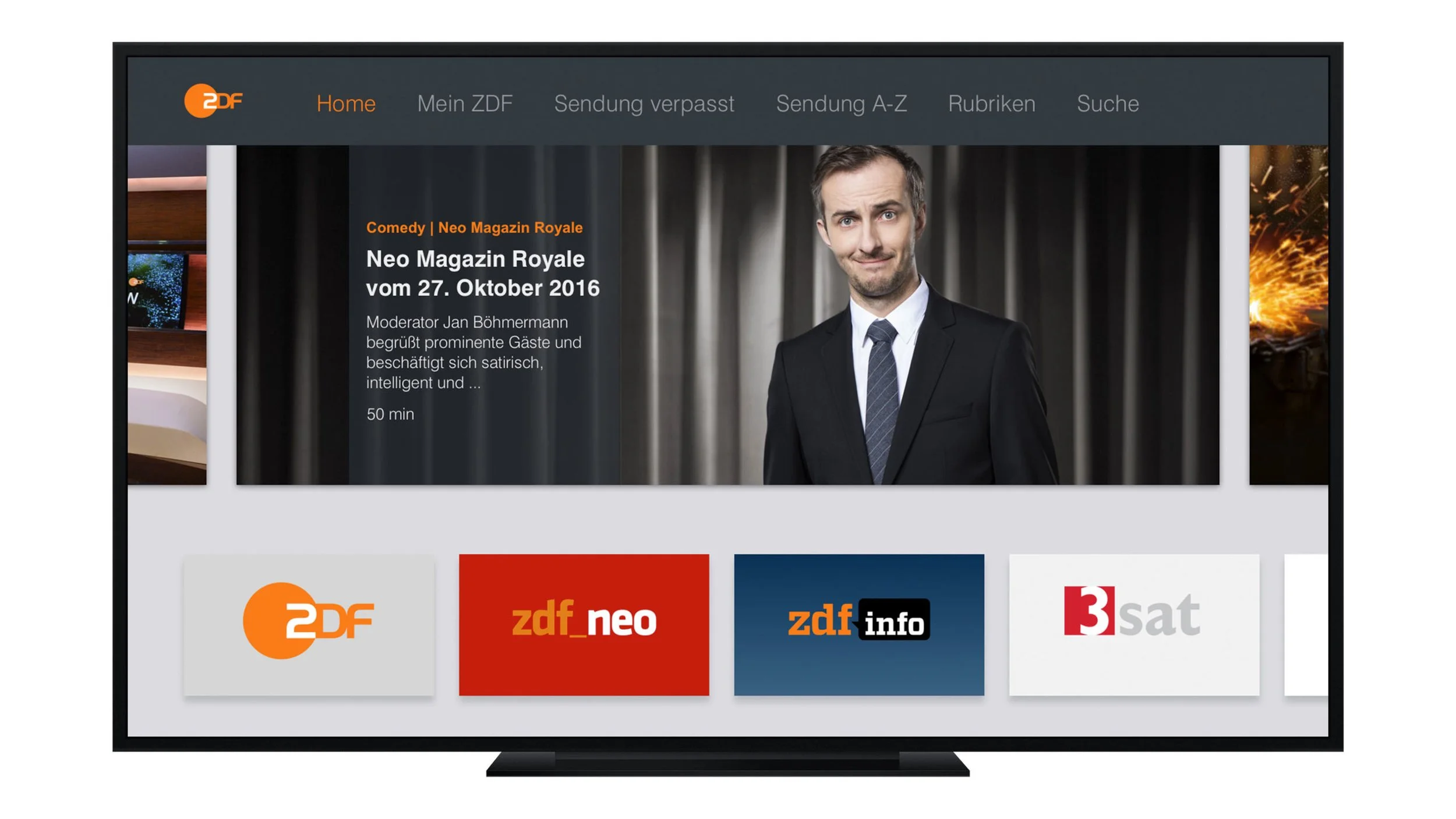
Apple TV App
A custom TV app for Germany’s public broadcaster ZDF, tailored to user needs and optimized for a new platform — Apple’s brand-new Apple TV. The app enables viewers to catch up on missed programs and stream live content from ZDF and its partner networks.
Impact
Launched the pre-installed ZDF app for Apple TV’s 2015 debut in Germany, reaching millions of users, and earning a 4.7-star App Store rating.
Client
ZDF
Role
Research, UX Design, Wireframes, User Flows
Duration
September 2015 - Oktober 2015
Awards
Red Dot Design Award - 1x Winner
iF Design Award - 1x Winner
Adapting to a New Platform
Apple’s brand-new Apple TV box is about to launch — and Germany’s public broadcaster ZDF has partnered with Apple to be one of the first pre-installed apps available at launch in 2015.
The ZDF already offers its streaming services across various smart devices, but how can this experience be reimagined and optimized for an entirely new platform?
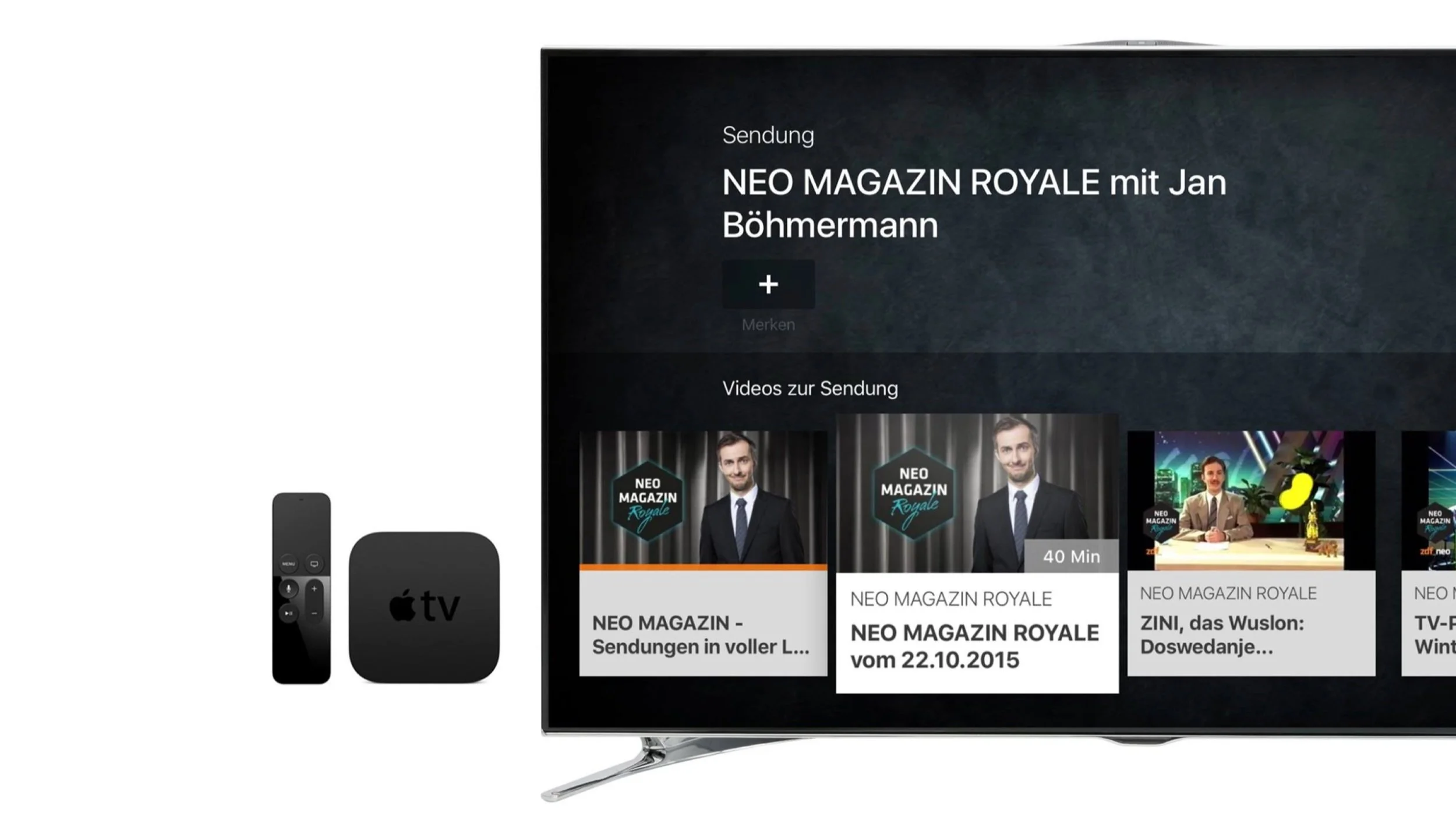
New Platform, New Rules
Using the TV itself is easy – everyone knows how to use it. This became the guiding objective for the project as I set out to design the user experience for the ZDF app.
Research & Early Testing
With early access to the new Apple TV box ahead of its official launch, I began with in-depth research and hands-on testing to understand the platform’s unique capabilities and limitations. This allowed me to quickly familiarize myself with its new features and interaction patterns. I also conducted a thorough review of Apple’s design guidelines for tvOS to ensure a seamless and native experience.
Key take-away
Unlike other existing set-top boxes, Apple introduced a fundamentally different interaction model: Instead of a fixed focus, the Apple TV used a floating focus controlled via touchpad.
Turning Research Into Guidelines
My research and insights shaped the foundation for adapting the UX to the new platform. I distilled my findings into key principles to consider when designing for the new Apple TV.
1. Stick to tvOS Guidelines
Build on established tvOS interaction patterns and Human Interface Guidelines. Depart from platform conventions only when it creates a clear, meaningful improvement for the user experience.
2. Make Focus Obvious
While using the Apple TV, the user sits at a distance and needs to have a clear view on what he is doing and where he is navigating. Additionally, he is able to skip through content extremely quickly.
3. Don’t See Focus as a Limitation, But as a Chance
Focus gains a totally new and higher significance on TV and needs to be rethought.
4. No Diagonal Navigation
Even though the touch remote invites the user to make diagonal touch gestures, the Apple TV does not support diagonal navigation.
5. Use the Touchpad Wisely
The new Apple TV remote works completely different than all other remotes. It has a touch pad, which enables a much faster navigation and uses a floating instead of a fixed focus.
6. Reduce
The Apple TV impresses with its light and airy design, which only works without overloaded screens. Furthermore, no one wants to read long copies on TV.
7. Performance is Key
The new Apple TV lives through its fluent and vivid navigation. Every jiggle strikes even more attention than on mobile devices. People are used to having their TV work perfectly at all times.
8. Be emotional
The TV is the flagship for big and beautiful visuals. Make every screen a cinematic experience.
Defining the Structure
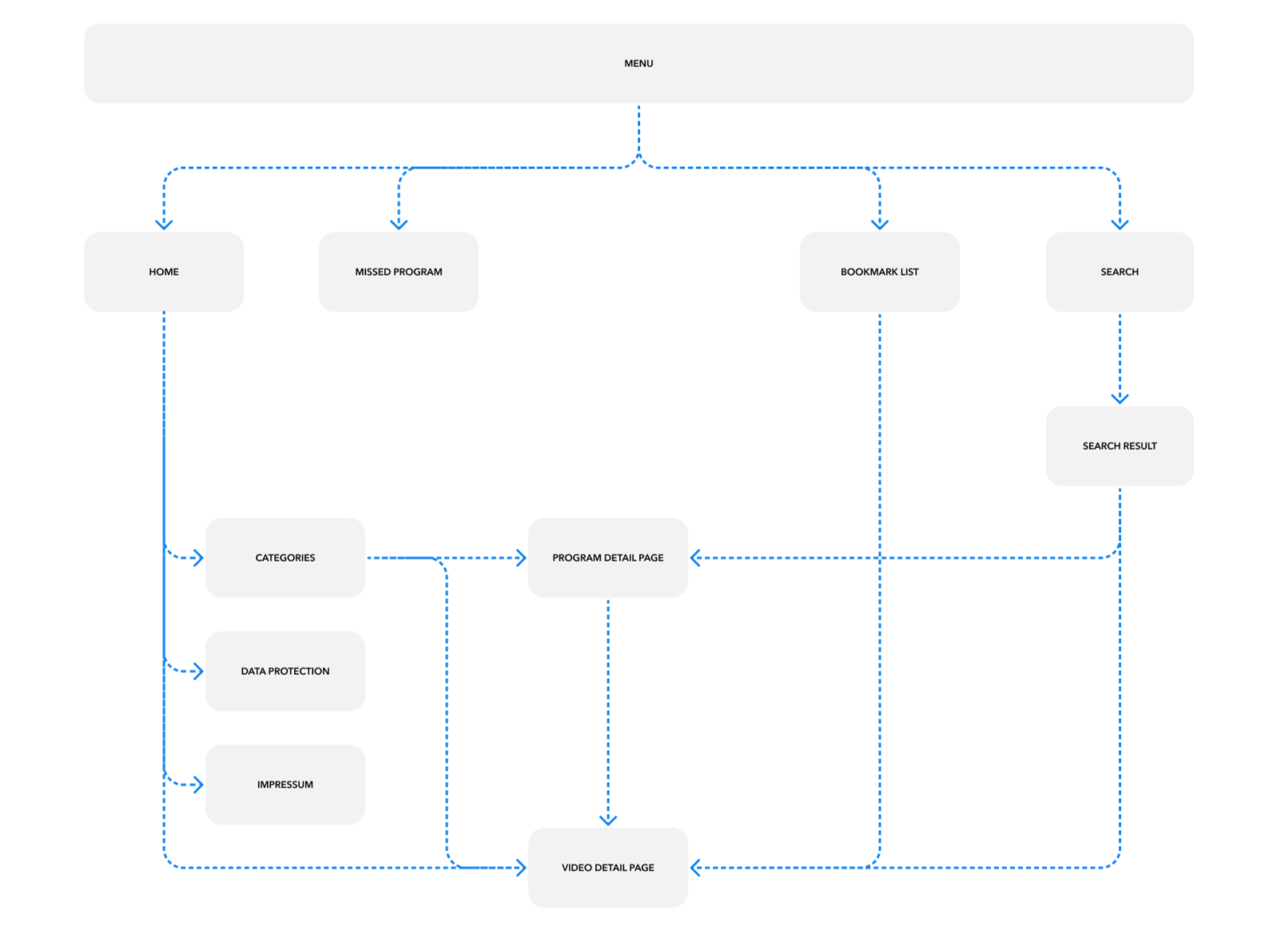
Designed for tvOS
The ZDF streaming experience was designed to align with tvOS standards and interaction patterns, supporting live TV, on-demand content, and personalized viewing features. The app got pre-installed for Apple TV’s 2015 debut in Germany, reaching millions of users, and earning a 4.7-star App Store rating.